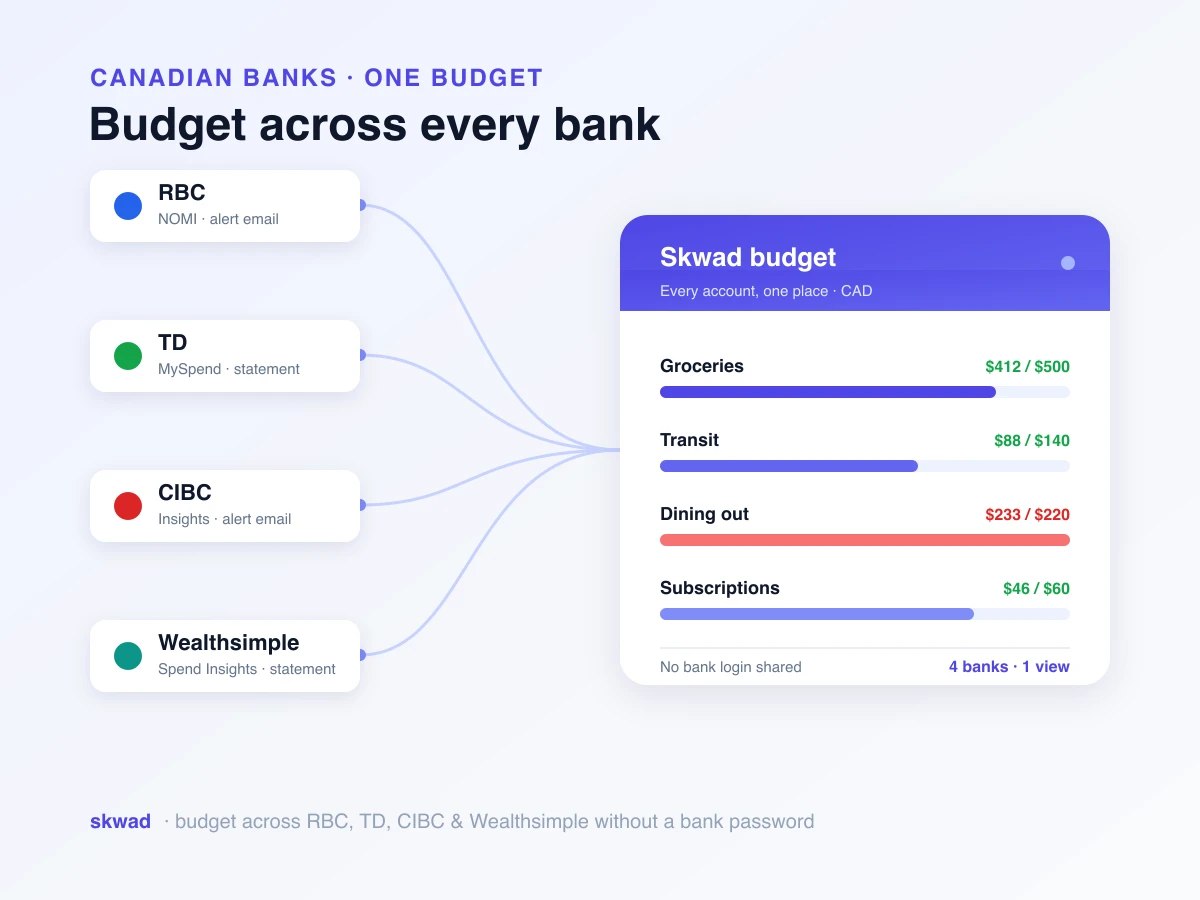
We’re launching Budgeting V2, a ground-up rebuild of how you manage and track budgets in Skwad. We rewrote it from scratch to give you the flexibility, visibility, and control you need to actually stick to your financial goals.
Whether you’re new to budgeting or a seasoned envelope budgeting veteran, Budgeting V2 adapts to how you work. Here’s what’s new.
Why we rebuilt budgeting from scratch
The original Skwad budgeting system served its purpose, but as our user base grew and diversified, we heard consistent feedback about limitations. Skwaddies wanted more flexibility in how they allocated funds, better visibility into rollover balances, and a system that could adapt to the realities of how people actually manage money.
Some follow strict zero-based budgeting where every dollar has a job. Others prefer a more relaxed approach with general guidelines rather than rigid categories. Many Skwaddies wanted to plan ahead for irregular expenses while others needed to handle variable income. Our old system struggled to accommodate this diversity of approaches.
Budgeting V2 was built to be flexible by design. It supports multiple budgeting philosophies while providing the structure needed to stay on track. Whether you want to implement the 50/30/20 rule (popularized by Elizabeth Warren and Amelia Warren Tyagi in their 2005 book All Your Worth), follow the envelope system, or create something entirely your own, V2 gives you the tools to make it happen. For a primer on the methods themselves, see budgeting with Skwad.
The foundation: envelope-style budgeting
At its core, Budgeting V2 is built around envelope-style budgeting, a time-tested method that divides your money into virtual “envelopes” for different spending categories. When an envelope is empty, you stop spending in that category or move money from another envelope.
This approach provides clear boundaries that help prevent overspending. Instead of looking at one big pool of money and hoping you don’t spend too much, you know exactly how much is available for each type of expense.
But Skwad’s implementation goes beyond traditional envelope budgeting. We’ve added features that address the limitations of the classic approach, like handling rollover balances, managing irregular expenses, and adjusting budgets on the fly without losing track of your original plan.
Three types of budget categories
Not all expenses behave the same way, and your budget categories shouldn’t either. Budgeting V2 introduces three distinct category types that work differently based on your needs.
Basic categories
Basic categories reset every month. When a new month begins, you start fresh with your allocated amount regardless of whether you overspent or underspent the previous month. This works well for spending categories where you want to maintain consistent limits without the mental overhead of tracking rollover amounts.
Groceries, entertainment, and dining out are common examples of basic categories. If you underspend on entertainment this month, you don’t necessarily want that extra money carrying over and encouraging extra spending next month. A fresh start each month keeps things simple and predictable.
Rollover categories
Rollover categories carry their balance forward from month to month. If you budget $200 for clothing but only spend $150, that extra $50 rolls into the next month, giving you $250 available. Conversely, if you overspend, that deficit carries forward too, reducing next month’s available amount.
This type is perfect for irregular expenses that don’t fit neatly into monthly cycles. Car maintenance, medical expenses, annual subscriptions, and home repairs are ideal candidates for rollover categories. You can build up a buffer during months when you don’t need to spend, then draw down when expenses hit.
Rollover categories can also have a starting balance, which is incredibly useful when you’re migrating from another budgeting system or want to pre-fund a category for a known upcoming expense.
Income categories
Income categories track money coming in rather than going out. By including income in your budget, Skwad can help you implement true zero-based budgeting where every dollar you earn is assigned to a spending category, savings goal, or debt payment.
For users with variable income, income categories provide visibility into how much money you actually have to work with each month, preventing the common mistake of budgeting based on expected income that doesn’t materialize.
Flexible allocation frequency
Skwaddies kept asking to budget on different frequencies. Some expenses are monthly, but many aren’t. Your car insurance might be quarterly. Your Amazon Prime membership is annual. Your biweekly paycheck doesn’t align with calendar months.
Budgeting V2 lets you set allocation frequency independently for each category. Options include weekly, biweekly, monthly, quarterly, and annual frequencies. Skwad automatically prorates these allocations so you always see accurate monthly budget views regardless of the underlying frequency.
This means you can budget $1,200 annually for holiday gifts, and Skwad will allocate $100 monthly to that rollover category. By December, you’ll have your full holiday budget available, accumulated over the course of the year without any manual transfers.
The budget view: see where you stand
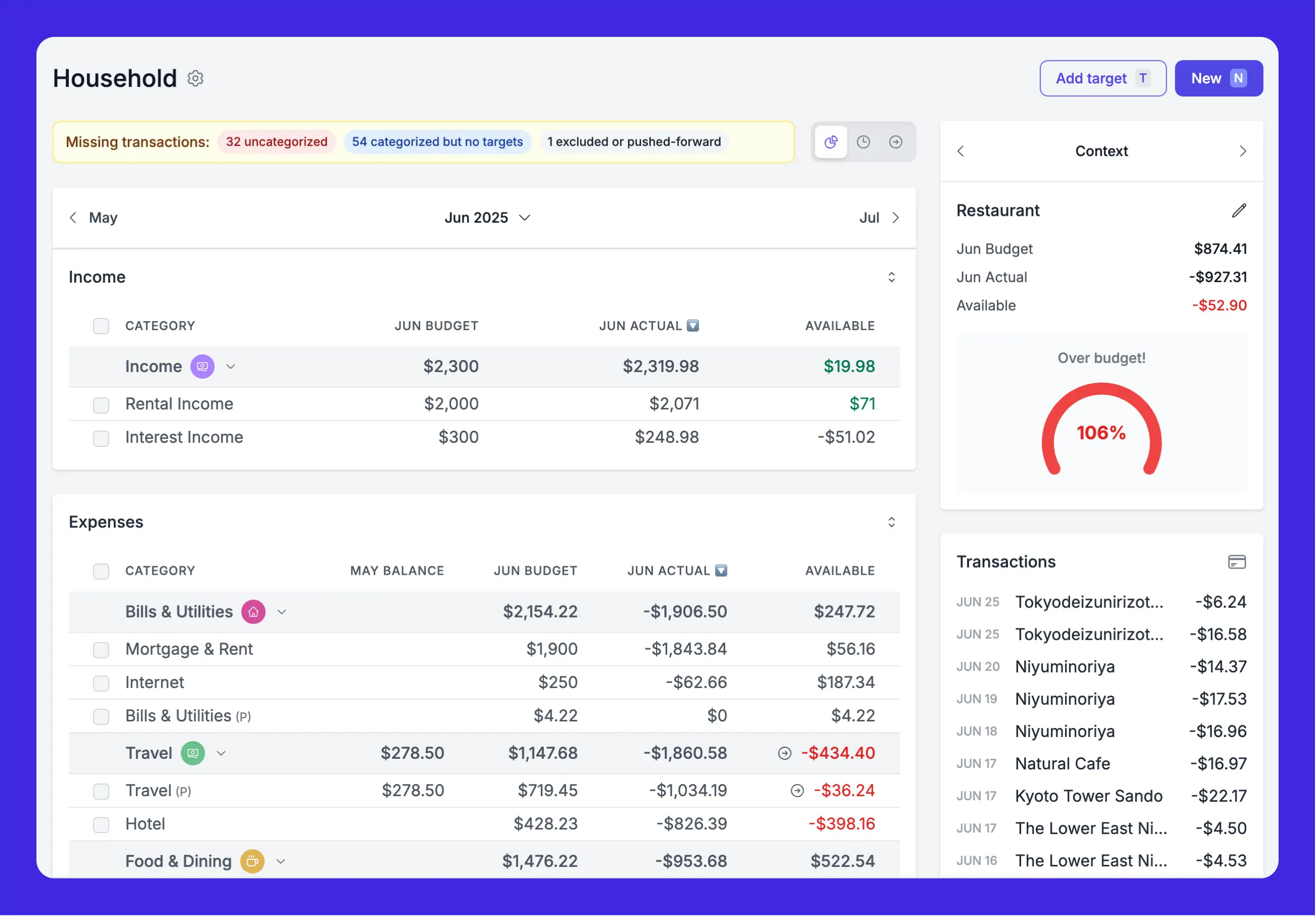
The redesigned budget view puts your financial picture front and center. At a glance, you can see your total budget, how much you’ve spent, and how much remains available across all categories.
Each category displays its allocated amount, actual spending, and remaining balance. For rollover categories, you’ll see both the current month’s allocation and the cumulative available amount including any rolled-over balance.
Color coding makes it easy to spot categories that need attention. Green indicates you’re on track or under budget, while red highlights categories where spending has exceeded the budget.
Inline editing vs. category editing
Budgeting V2 introduces a distinction between inline edits and category edits that gives you precise control over your budget.
Inline edits change the budget for a specific month only. If you know December will have higher gift expenses, you can increase that month’s budget without affecting other months. Your default allocation remains unchanged for future months.
Category edits update the default value that applies to all months, past and future. Use this when you realize your ongoing budget needs adjustment, like increasing your grocery budget after moving to a more expensive neighborhood. You can now apply changes to future periods only, keeping your historical budget data intact.
This separation means you can handle one-time adjustments without worrying about accidentally changing your ongoing budget plan.
Zero-based budgeting made easy
For users who want to implement zero-based budgeting, Budgeting V2 provides the tools to make it work. The fundamental principle is simple: every dollar of income gets assigned to a category until your “to be budgeted” amount reaches zero.
Start by setting up income categories that track your paychecks and other earnings. Then allocate those dollars across your spending categories, savings goals, and debt payments. When income equals allocations, you’ve achieved zero-based budgeting.
Skwad alerts you when your budget doesn’t balance, whether you’ve allocated more than you have available or have unassigned dollars that need a job. This keeps you honest with your budget and ensures every dollar is working toward your goals.
Handling shortfalls
During your first month with Skwad, you might see shortfall warnings if you haven’t received your full month’s income yet. This is normal and expected. The warnings will clear once your income arrives.
Over time, as you build up savings buffers, you can push savings toward future months to cover expenses while waiting for income. This is how zero-based budgeters “age” their money, eventually reaching the point where they’re spending last month’s income rather than this month’s paycheck.
Scheduling consistent income
Variable income is one of the biggest challenges in budgeting. Freelancers, contractors, and anyone with irregular pay schedules knows the frustration of trying to budget when you don’t know exactly how much money is coming or when.
Skwad addresses this with income scheduling. You can create recurring income entries that appear in your budget automatically. For salaried employees with predictable paychecks, set up your biweekly deposits and let Skwad handle the rest.
For those with variable income, you can create baseline income entries representing your expected minimum, then add actual income as it arrives. This gives you a foundation for budgeting while maintaining flexibility for income that exceeds expectations.
Budget options: push forward and exclude
Sometimes transactions don’t fit neatly into the month they occurred. You might buy holiday gifts in November for December celebrations, or prepay for a service that covers multiple months. Budget V2 includes options to handle these situations gracefully.
Push Forward: Mark a transaction to count against a future month’s budget instead of the current month. That November gift purchase can be pushed to December’s gift budget, keeping your reports accurate to your actual spending intentions. Transactions can be pushed up to two years into the future.
Exclude: Some transactions just don’t belong in any budget category. Credit card payments, transfers between accounts, and other non-spending transactions can be excluded from your budget entirely. You can also exclude entire categories from budgets and trends if they represent transfers or reimbursements.
Multiple budgets for different needs
Many users have asked for the ability to maintain separate budgets for different purposes. Perhaps you want a detailed budget for day-to-day expenses and a separate one for a specific savings goal or project.
Budgeting V2 supports multiple budgets, each with its own categories, allocations, and reporting. You can track the same underlying categories across different budgets or keep them completely separate.
This feature is particularly valuable for couples who want both joint and individual budgets, or for anyone managing personal finances alongside a side business or special project.
Budget reviews: reflect and adjust
At the end of each month, Skwad prompts you to review your budget. This is your opportunity to reflect on what worked, what didn’t, and what changes might improve next month.
The review interface shows how each category performed, highlighting areas where you consistently overspend or categories where you might be allocating too much. Over time, these reviews help you fine-tune your budget to match your actual spending patterns while still pushing you toward your financial goals.
Regular budget reviews are one of the most important habits for budgeting success. They transform budgeting from a set-it-and-forget-it exercise into an ongoing conversation with your finances.
Planning Ahead
Budgeting V2 lets you plan up to two years into the future. This forward-looking capability is essential for handling irregular expenses, saving for big goals, and preparing for known future changes.
If you know your car insurance is due in six months, you can see that expense in your future budget and ensure you’re allocating enough monthly to cover it. Planning a vacation for next year? Start budgeting for it now and watch your travel fund grow month by month.
This visibility helps eliminate financial surprises. When you can see upcoming expenses on the horizon, you can prepare for them rather than scrambling to cover unexpected bills.
Migrating from another budgeting app
If you’re switching to Skwad from another budgeting tool, V2 makes the transition smoother. You can set your budget start date to any point in time, and Skwad will backfill based on your default allocations.
For rollover categories, you can set starting balances that reflect what you’ve already accumulated in your previous system. This ensures continuity in your savings categories without having to start from zero.
Check out our quick start guide for detailed migration instructions and tips for getting the most out of your new budget.
Getting started with Budgeting V2
Ready to transform your approach to personal finance? Here’s how to get started:
-
Set up your categories: Before creating a budget, make sure your categories are configured to match your spending patterns. Import some transactions first so Skwad can help suggest relevant categories.
-
Create your budget: Navigate to the budget section and create your first budget. Set a start date and begin adding categories.
-
Choose category types: Decide whether each category should be basic, rollover, or income based on how that expense behaves.
-
Set allocations: Enter your budget amounts and frequencies. Start conservative if you’re unsure; you can always adjust later.
-
Add income: Set up income categories and schedules so Skwad can help you balance your budget.
-
Review and refine: After your first full month, use the budget review feature to assess performance and make adjustments.
The philosophy behind V2
We believe budgeting should be a tool for empowerment, not restriction. The goal isn’t to make you feel guilty about spending money. It’s to give you clarity and control so you can spend confidently on what matters to you while making progress toward your goals.
Budgeting V2 was designed with this philosophy in mind. It provides structure without rigidity, guidance without judgment, and flexibility without chaos. Your budget should adapt to your life, not the other way around.
We’re incredibly proud of what we’ve built with Budgeting V2, and we can’t wait to see how it helps you take control of your financial future. If you have questions or feedback, we’re always here to help.
Frequently asked questions
What’s the difference between basic and rollover categories?
Basic categories reset every month, so you start fresh with your allocated amount regardless of whether you overspent or underspent. Rollover categories carry their balance forward, so an unspent $50 rolls into next month and an overspend reduces what’s available next month. Use basic for steady limits like groceries, and rollover for irregular expenses like car maintenance or annual subscriptions.
Can I change a budget without rewriting past months?
Yes. Category edits update the default that applies to all months, but you can apply changes to future periods only, keeping your historical budget data intact. Inline edits change a single month’s budget without touching the others.
Does Budgeting V2 work for variable income?
Yes. Income categories give you visibility into how much you actually have to work with each month, and you can create baseline income entries representing your expected minimum, then add actual income as it arrives.
Can I keep more than one budget?
Yes. Budgeting V2 supports multiple budgets, each with its own categories, allocations, and reporting, which is useful for couples who want both joint and individual budgets or for separating a side business from personal finances.
Once your budget is running, see how cashflow reports measure what actually happened against your plan.
Welcome to the next chapter of your budgeting journey.