

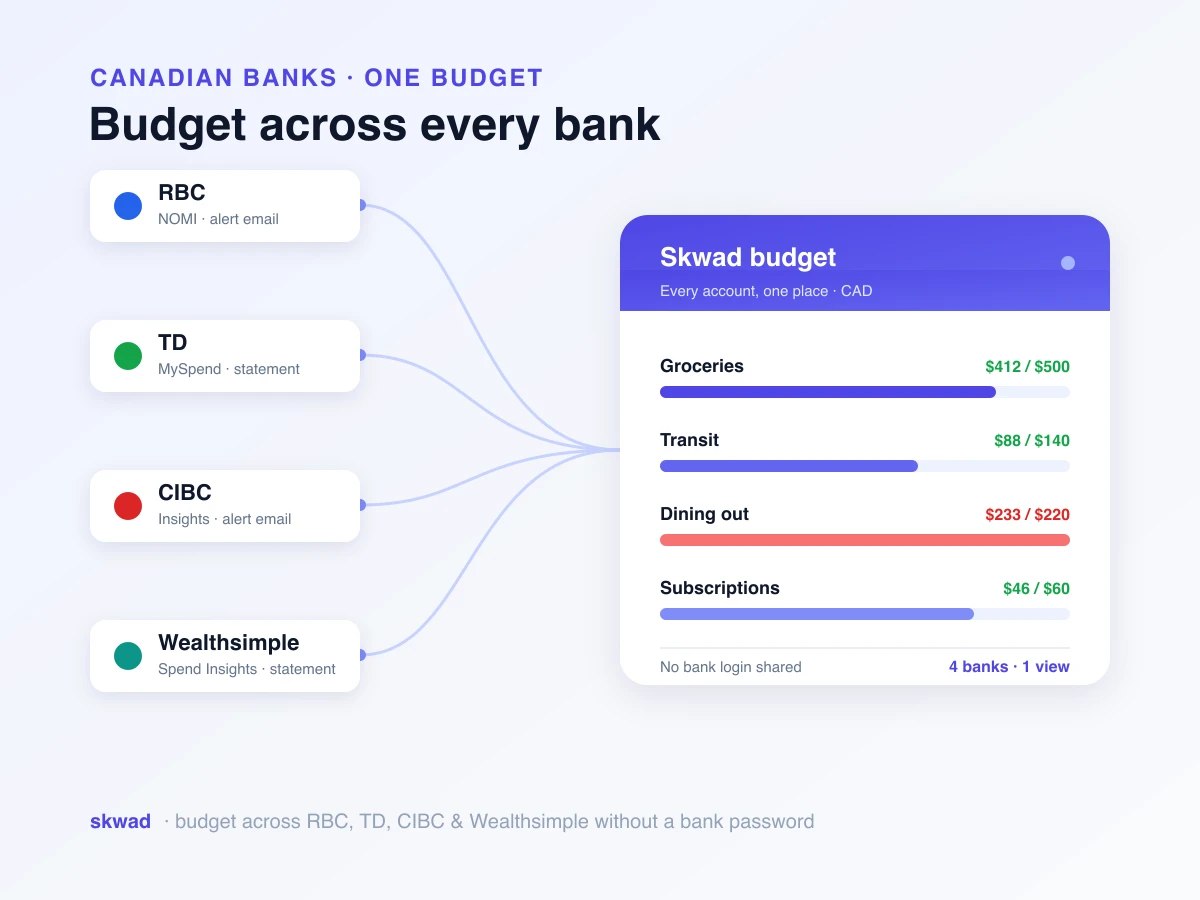
If you bank with RBC, TD, CIBC, or Wealthsimple and want one budget that covers all of them, none of their own apps will do it. RBC NOMI, TD MySpend, CIBC Insights, and Wealthsimple’s Spend Insights each only see the accounts at their own bank, and Skwad pulls all four into a single budget without a bank login.
You know the setup. Rent leaves your TD chequing on the first. The Loblaws run goes on an RBC Visa. Your partner gets paid into Wealthsimple, and somewhere there’s a CIBC account from university you swear you’ll close. Four apps, four slices of one month.
We built Skwad so that month fits on one screen. RBC and CIBC email you each time you tap a card, and Skwad reads those emails. TD and Wealthsimple stay quiet, so for them you upload a statement. Your password stays yours on both routes. Here’s what each bank’s tool does well, where it gives up, and how we stitch them together.
What each bank’s own app gives you
Fair’s fair. These banks have put real effort into spending features, and for a glance at last Tuesday they do the trick. Same blind spot on all of them, though: one bank each.
RBC NOMI
NOMI is RBC’s bundle of smart features in RBC Mobile. It reads your past spending, suggests a monthly number per category, sends little notes about account activity, and can quietly move small amounts into savings. If RBC holds every dollar you own, that’s a respectable start. Grab a double-double on your TD card, though, and NOMI never hears a thing. Its budget has a hole in it from day one.
TD MySpend
TD’s take (MySpend, plus the spending screens in the TD app) shows purchases live and holds this month up against your usual one, category by category. Nice when you suspect you’ve been eating out too much. There are category targets and savings goals. Shared envelopes? Rollover? Anything from your other banks? No, no, and no.
CIBC Insights
Insights is a feed of tips in the CIBC app, and every one of them is about your CIBC spending. The “hey, that looks weird” warnings live elsewhere, under CIBC’s fraud and transaction alerts. Helpful. Strictly CIBC. It keeps you posted on one bank’s accounts and was never meant to plan your month.
Wealthsimple
Spend Insights buckets Wealthsimple spending by category, graphs the trend, and gives couples a household view. It tracks. It doesn’t budget. There’s no “$600 for groceries” line to creep toward, and money at other banks simply doesn’t exist to it. So you learn where the Wealthsimple dollars went, and still can’t tell whether the month is okay.
Blame the business model, not the engineers. RBC has zero reason to show you what’s happening at TD. A one-bank household can happily stop here. Two or three banks in, and you’re tabbing between logins with the calculator open.
What to look for in a budgeting app if you bank in Canada
Shopping for one budget to cover every bank? Ignore the feature grid for a minute. Here’s what actually matters up here.
Don’t hand over your banking password. Each company holding your login is another spot it can leak from, and sharing it can make a fraud claim with your bank messier. An aggregator link should be something you opt into, never the price of entry. We dug into this in whether it’s safe to connect your bank to budgeting apps.
Expect connections to break, and pick something that shrugs it off. Most budgeting apps reach your accounts via Plaid or a cousin of it, and Canadian bank links are widely reported to drop whenever the bank changes a login flow or a security step. It’s a common reason people give up on budgeting apps here. We wrote up why those Canadian bank connections keep breaking and how to avoid the whole mess.
Canadian dollars, Canadian institutions, and yes, credit unions, which aggregators love to skip. Plus every bank in one view, since that’s why you’re shopping in the first place.
That’s roughly the spec we built Skwad against. Bank sends alerts? Skwad reads them and never logs in. Bank doesn’t? Import a statement, still no login. The long version is our Skwad versus a Plaid-based setup comparison, or the broader case on our Skwad for Canadian banks page.
How Skwad works with each bank
One question decides it: does your bank email you when you spend? RBC and CIBC do, so Skwad reads the emails and statements never come up. TD and Wealthsimple don’t, so you import. Either way your login stays put, and you can budget without sharing your bank password.
RBC
RBC emails you for card purchases, transfers, and bill payments. Flip alerts on in RBC Mobile or online banking and point them at Skwad. That’s a one-time job. From then on chequing, savings, and your RBC cards appear beside your other banks, with Skwad fishing the amount, merchant, and date out of every email and slotting it into a category. Full walkthrough: RBC alert setup.
CIBC
Same deal. CIBC sends one email per transaction, Skwad catches it, and your CIBC spending joins the shared budget. No re-linking your account every couple of weeks. Setup’s here: CIBC alert setup.
TD
TD is the awkward one, so we’ll just say it. You’ll get emails about balances and thresholds, not individual purchases, so alert-reading can’t cover TD. Statements can. Grab one from TD, upload it to Skwad, and the transactions get categorized and slot in beside everything else, login untouched. If you’d prefer a live connection, TD links through Plaid or SimpleFin, with the usual risk that it can drop. More on the no-login route in spend tracking without bank linking, and TD’s notification options are on our TD alerts page.
Wealthsimple
Basically TD again. Wealthsimple doesn’t send per-purchase emails, so you upload a statement (or wire it up through SimpleFin if a direct feed appeals). After that, the paycheque sitting there finally shows up in the same budget as the rent.
From there it’s one Skwad across every account: auto-categorized transactions, envelopes you set, goals, and a budget your partner can share. RBC and CIBC come in through alerts that don’t disconnect. TD and Wealthsimple come in through imports that don’t care whether an aggregator is having a bad week. See every Canadian bank Skwad supports.
Frequently asked questions
Does RBC have a budgeting app?
Sort of: RBC builds budgeting tools into RBC Mobile through NOMI, which suggests category budgets and nudges you about your spending. Fine for RBC money. Blind to everything else, so your TD or CIBC spending never makes it in. Skwad reads the alerts RBC and CIBC email you, takes statement imports from the banks that don’t send them, and puts the lot in one budget.
Can I use YNAB or Monarch with TD?
Yes, mostly through Plaid or a similar aggregator. The catch is that those links snap regularly with Canadian banks, often right after the bank tweaks its login screen. And TD won’t email you per transaction the way RBC and CIBC will, so the alert route is out. With Skwad you drop in a TD statement: no aggregator, no TD password. Plaid and SimpleFin are still there if you want them.
Does Wealthsimple have a budgeting app?
Not in the envelope sense. Spend Insights tags and charts your Wealthsimple spending, household view included, but you can’t cap a category, and it has no clue about your other banks. No per-transaction emails either. Import a Wealthsimple statement into Skwad (or hook it up via SimpleFin) and it budgets next to RBC, TD, or CIBC. Your Wealthsimple login never leaves your hands.
Do I have to give a budgeting app my CIBC password?
Nope. Skwad starts from the transaction alerts CIBC is already emailing you, so your credentials stay between you and CIBC. If you really want a live feed, Plaid and SimpleFin are opt-in. Bonus: keeping your banking password private keeps things simpler if you ever end up filing a fraud claim.
Does this work with credit unions?
Yes. Credit union alerts get read exactly like RBC’s and CIBC’s, including smaller credit unions aggregators often skip. Yours doesn’t email alerts? Import a statement. Either way, nobody asks for your login.
Four banks, one budget, zero passwords shared. Point RBC and CIBC alerts at Skwad, upload your TD and Wealthsimple statements, and finally see the whole month at once.