Skwad Sight
Sight gives your household a financial health score, built from the transactions, balances and bills already in your Skwad. Every number behind it can be traced back to its source.
Sight is in beta and rolling out to Skwads gradually. When it's on for your Skwad, everyone in it gets it.
Where to find it
Web: Sight, in the left sidebar. Mobile: the Sight tab in the bottom bar.
Your score

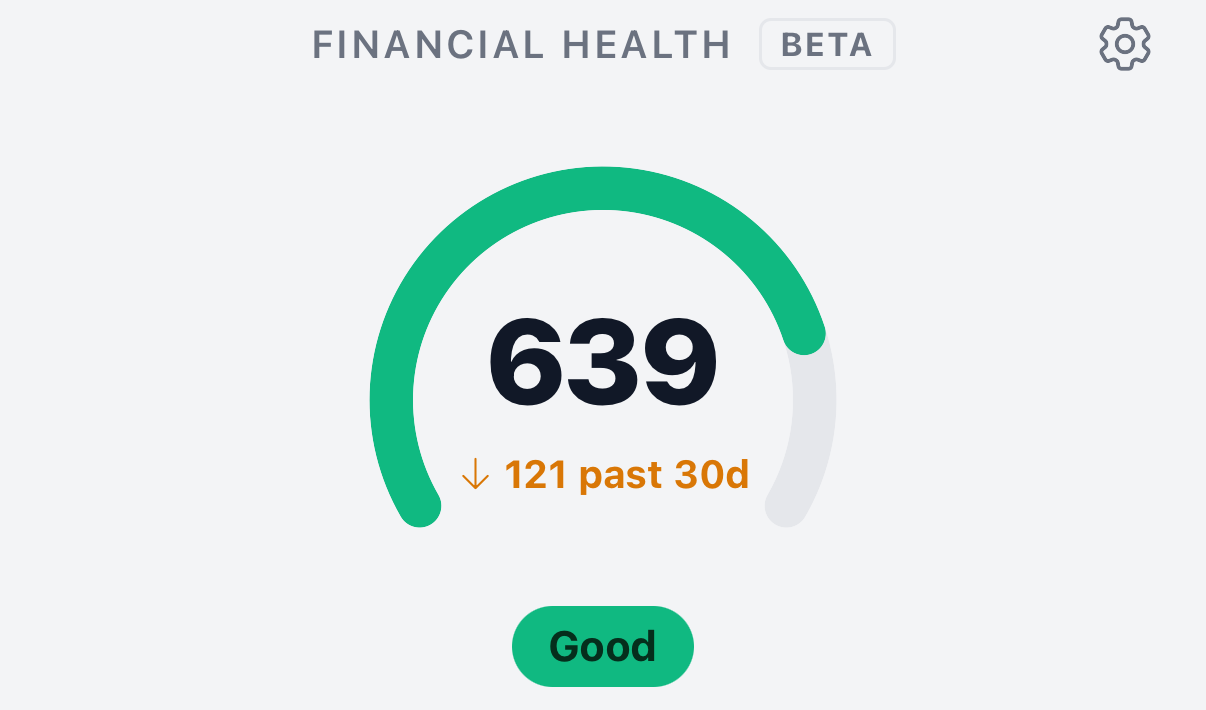
Your Financial health score is at the top of the page, with its band. The four bands, lowest to highest, are Needs attention, Fair, Good and Excellent. The arrow shows how the score moved over the past 30 days.
The score updates as new transactions and balances come in. There's one score per Skwad, so everyone in it sees the same one.
Frameworks
A framework is an established way of judging financial health. Sight scores each framework you've switched on, and your overall score combines them equally.
| Framework | What it looks at | On by default |
|---|---|---|
| Financial well-being | Whether you're in control day to day, could handle a surprise expense, and have room for the things you enjoy | Yes |
| 50/30/20 | How your income splits between needs, wants and savings | No |
| Debt Watch | Whether you can carry your debt, and how well you're managing credit | Coming soon |
| FIRE | Whether you're on pace to reach financial independence and retire early | Coming soon |
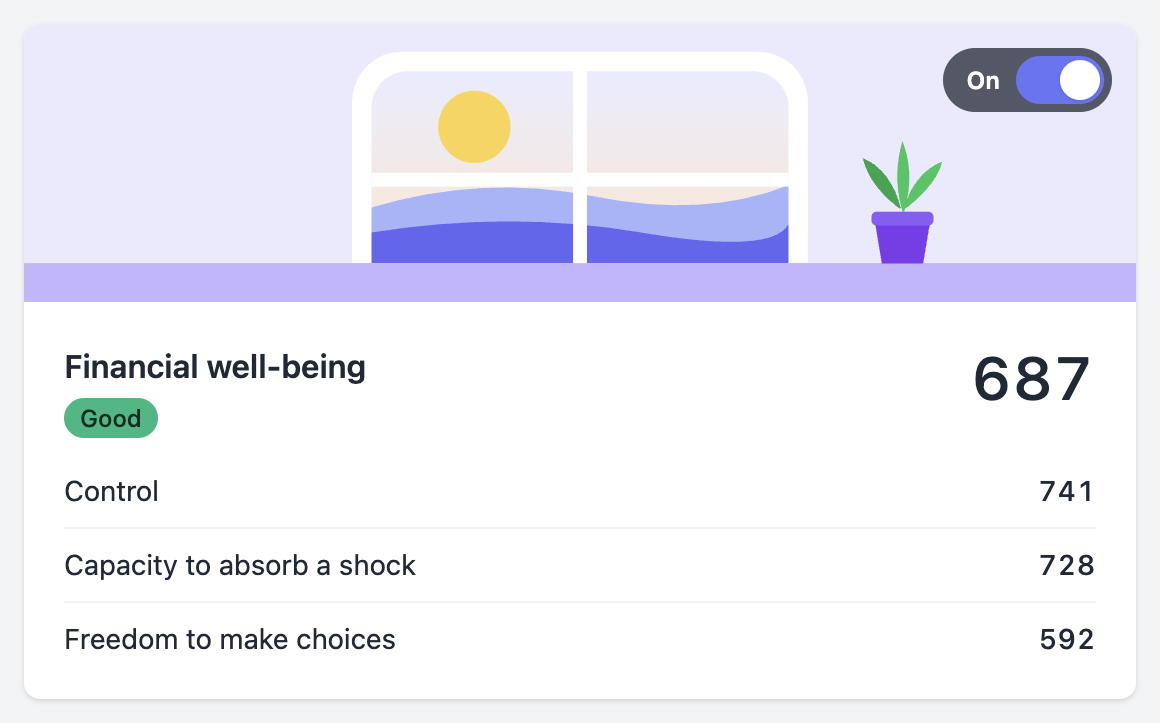
Each framework has a card under Frameworks with its score, its band and the parts that make it up. Click or tap a card to see the details.
Turn a framework on or off
Use the switch on the framework's card. A switched-off framework stays on the page, greyed out and marked Off, and shows what it would score.
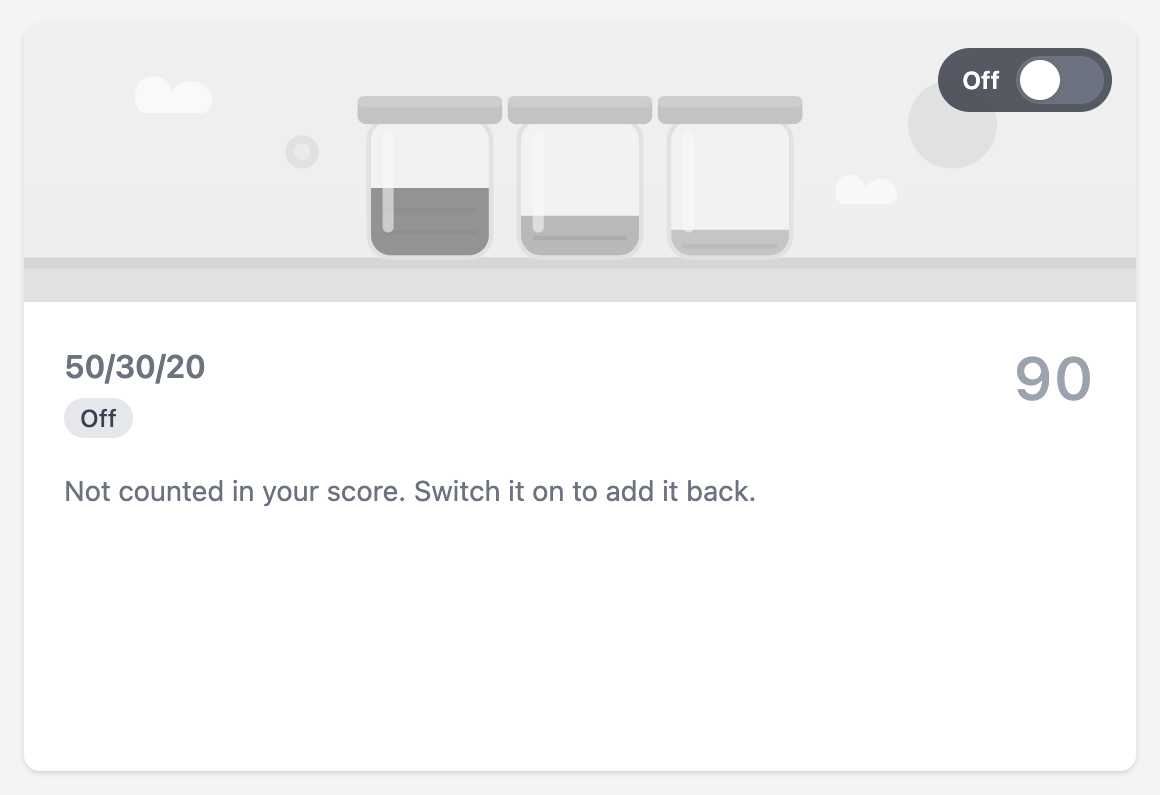
At least one framework has to stay on. These settings apply to the whole Skwad, and anyone in it can change them.
To reorder the cards, click the gear next to Frameworks and drag them. On mobile, press and hold to drag.
Sharpen your score
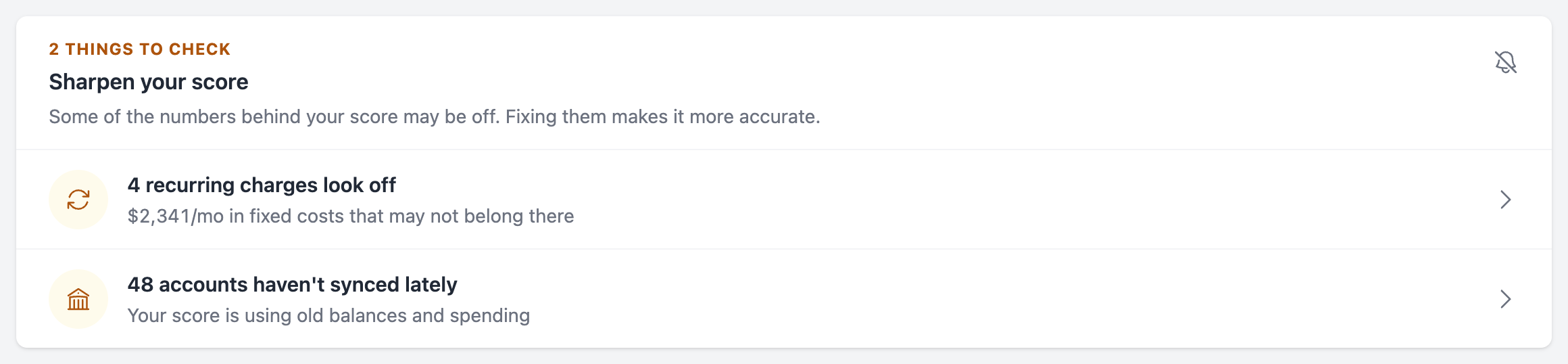
When the data behind your score looks off, a Sharpen your score card appears under your score. It checks for:
- spending that has no category yet
- recurring charges that probably aren't bills or subscriptions
- accounts that haven't synced lately or need reconnecting
Click a row to open Your inputs with that check expanded. The card disappears once the checks pass, and it doesn't change your score.
Click the bell to snooze the card until the end of the month, or mute it until a new problem comes up. Muting only hides it for you. To bring it back, open Your inputs and click Show it.
Your inputs
Your inputs lists every number behind your score. Open it from the Your inputs link next to the Frameworks heading, or from What feeds it on any metric's detail page.
Each row shows the value, how Sight measures it and where it comes from. Click a row to open its source: your cash flow report, accounts, recurring bills, Needs/Wants categories or net worth.
The How sure Sight is card at the top rates how reliable your inputs are. Expand a check to see the exact transactions, recurring charges or accounts behind it, each with a button to fix it (Categorize, Review or Reconnect). Rows affected by a check show an eye icon.
Income & savings profile
Some savings never pass through your linked accounts, like retirement contributions taken from your paycheck and your employer's match. Your take-home pay also understates what you earn.
Add your household's gross income and any payroll contributions to the income & savings profile, and Sight counts them. The profile is optional. Without it, Sight scores from your accounts alone.
Open it from the Gross monthly income row on Your inputs, or from the prompts on a metric's detail page. Each figure has a start date. Changes apply from that date, and past scores stay as they were.
Ignored categories
Sight leaves out categories set to Exclude from trends & budgeting, the same as Trends.
Scoring updates
When Sight changes how it scores, your score can move without any change in your money. Sight marks each change with:
- a note on your score with the date and how many points the change moved it. Click × to dismiss it.
- a marker on the History chart of each metric it affects, with the change listed below the chart
- a line in the Sight digest that separates the change from your own money's movement
Getting your first score
A new Skwad shows No score yet and a checklist:
- Connect your first account. Start with checking or savings. See bank linking.
- Mark your paychecks as income, so Sight can see how much you keep.
- Tag your categories as needs or wants. See Needs and wants.
Once you have a score, remaining steps move under Finish the picture, such as adding your recurring bills. With only a little history, your score is marked as an early read until more months come in.
What to do next
What to do next, under your score, shows the change that would help your score most. The rest are under Prioritized actions, below the frameworks. When there's nothing to fix, you'll see On track instead.
FAQ
Is the Financial well-being score the CFPB's official score?
No. It's based on the CFPB's financial well-being framework, scored from your Skwad data. It doesn't use the CFPB's survey.
Why did my score drop?
Open the framework cards to see which part moved. Check the Sharpen your score card too: an uncategorized charge, an account that stopped syncing or a one-off bill can all move the score.
Why did my score change when nothing else did?
Sight may have changed how it scores. Look for the note on your score or a marker on a metric's History chart. See Scoring updates.